
This article will show you how to navigate to Reporting and generate a 'Capability Assessment Report' based on a previous Capability Campaign that was sent!
To learn more about Capability Campaigns, click here.
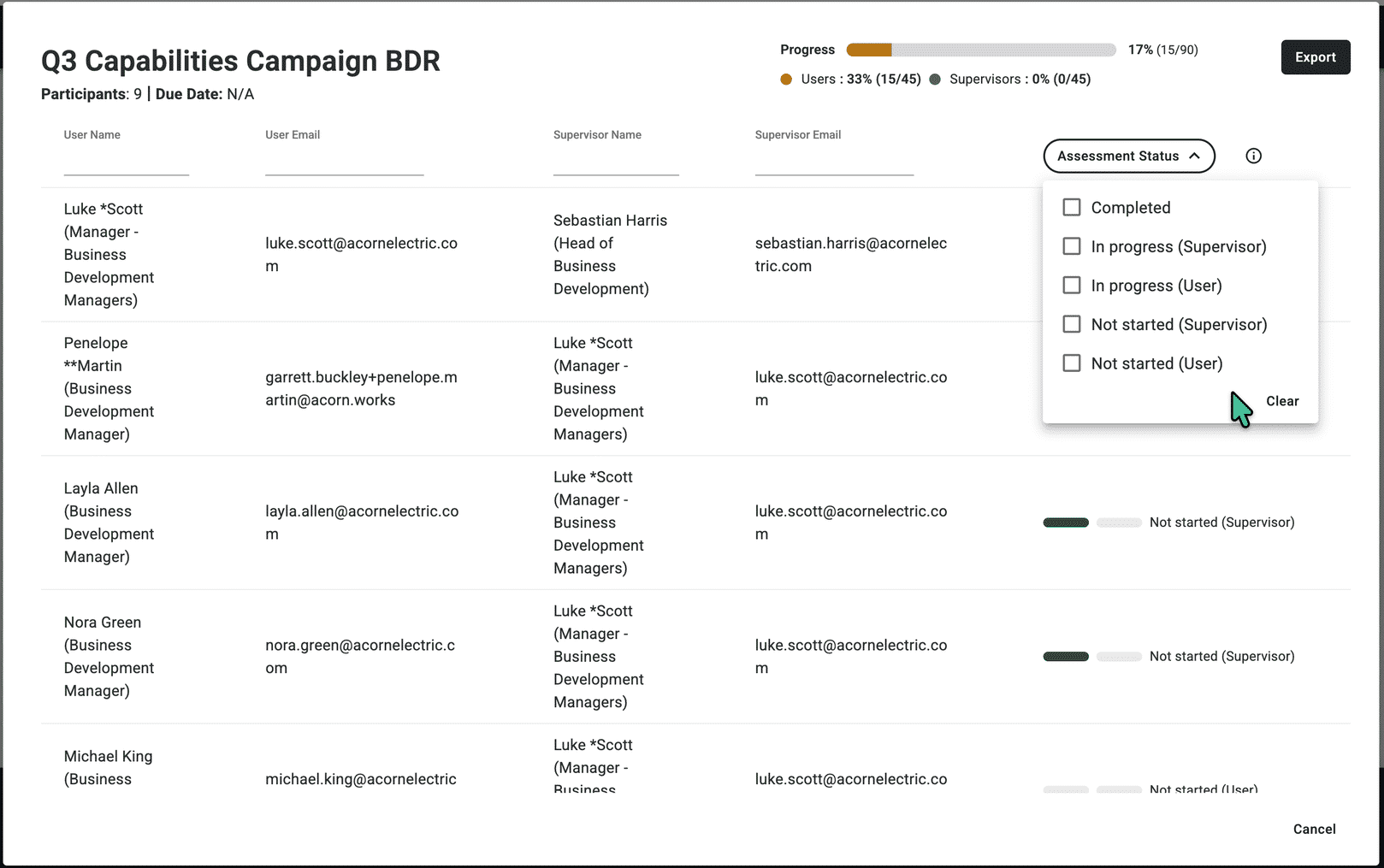
Review campaign progress directly in the Capability Dashboard — no need to go looking elsewhere. Under Capability Assessment, click View on any campaign to see a live snapshot of how things are tracking.
You'll find each user's name and email alongside their supervisor's details, with an assessment status showing whether they haven't started, are in progress, or have completed their assessment — and the same for their supervisor.
A progress bar gives you a quick read on how many capabilities are being reviewed and how many are done. When you're ready to share or follow up, export the report and use it to reach out to anyone who hasn't completed their assessment yet
Please feel free to reach out to Acorn Support at any time during this process!